




20 AI Tools for Students: Best Study & Research Tools
20 AI Tools for Students
AI tools can help students understand difficult topics, organize research, improve writing, prepare for exams, create presentations, practice languages and learn programming more efficiently.
The important part is choosing the right tool for the job. A general AI assistant may be excellent for explaining a concept, while an academic research tool may be better for finding scientific papers and a dedicated study app may be more useful for flashcards and quizzes.
This guide covers 20 AI tools for students, what each one is useful for, and how students can use AI without replacing the thinking, reading and practice that real learning requires.


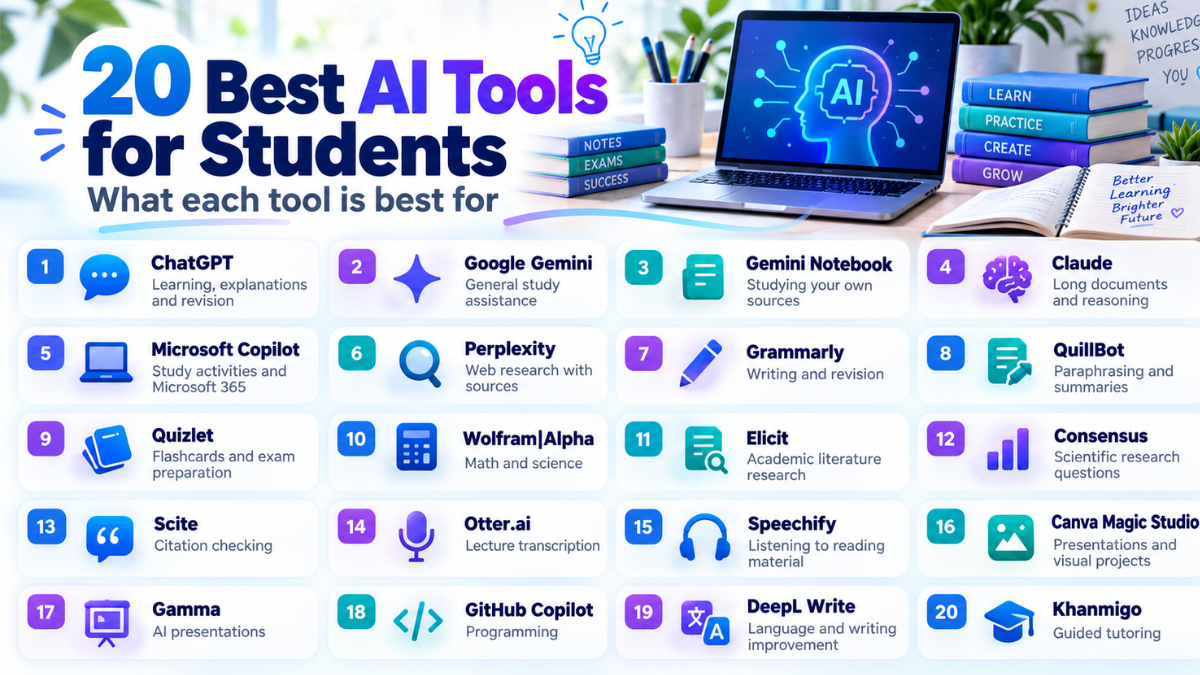
20 AI Tools For Students At A Glance
| # | Tool | Best For |
|---|---|---|
| 1 | ChatGPT | Learning, explanations and revision |
| 2 | Google Gemini | General study assistance |
| 3 | Gemini Notebook | Studying your own sources |
| 4 | Claude | Long documents and reasoning |
| 5 | Microsoft Copilot | Study activities and Microsoft 365 |
| 6 | Perplexity | Web research with sources |
| 7 | Grammarly | Writing and revision |
| 8 | QuillBot | Paraphrasing and summaries |
| 9 | Quizlet | Flashcards and exam preparation |
| 10 | Wolfram|Alpha | Math and science |
| 11 | Elicit | Academic literature research |
| 12 | Consensus | Scientific research questions |
| 13 | Scite | Citation checking |
| 14 | Otter.ai | Lecture transcription |
| 15 | Speechify | Listening to reading material |
| 16 | Canva Magic Studio | Presentations and visual projects |
| 17 | Gamma | AI presentations |
| 18 | GitHub Copilot | Programming |
| 19 | DeepL Write | Language and writing improvement |
| 20 | Khanmigo | Guided tutoring |
1. ChatGPT
Best for: explanations, tutoring, revision, brainstorming and practice questions.
ChatGPT can work across many school and university subjects. Students can ask it to explain a difficult concept in simpler language, compare two ideas, create practice questions or review material before an exam.
Study mode is particularly useful because it is designed to guide students step by step instead of only giving a final answer.
2. Google Gemini
Best for: general studying, brainstorming and working with different types of information.
Gemini can help students understand topics, generate practice questions, create study plans and work with text, images and other learning material.
Students already using Google’s ecosystem may find it convenient for combining research and study workflows.
3. Gemini Notebook
Best for: studying class notes, PDFs, readings and source material.
Google renamed NotebookLM to Gemini Notebook in 2026. The product remains focused on helping users work with their own selected sources.
Students can add course material and use it to create summaries and other study aids. This can be more focused than asking a general chatbot about the entire internet.
It is particularly useful when preparing for an exam based on a specific syllabus or collection of lecture notes.
4. Claude
Best for: reading long documents, explaining arguments and improving reasoning.
Claude can be useful when a student needs to work through long material or discuss a complicated topic in detail.
Instead of asking it to write an assignment from scratch, students can ask it to identify weaknesses in an argument, explain difficult paragraphs or challenge a proposed thesis.
5. Microsoft Copilot
Best for: students working inside Microsoft 365.
Microsoft’s Study and Learn experience can guide students through topics and generate activities such as quizzes, flashcards, matching exercises and fill-in-the-blank practice.
For eligible education users, it can also work with uploaded documents, slides and PDFs.


6. Perplexity
Best for: current web research and finding source material.
Perplexity combines AI answers with web search and source links. This can make it useful when students are beginning a research project and need to identify websites, organizations or documents worth reading.
Students should still open the cited pages themselves and verify important facts before using them in academic work.
7. Grammarly
Best for: essays, reports, grammar and clarity.
Grammarly can help identify grammatical problems, unclear sentences, repetition and awkward wording.
A useful workflow is to write your own first draft and then use Grammarly to improve readability without replacing your argument or personal writing style.
8. QuillBot
Best for: paraphrasing, summarizing and rewriting difficult sentences.
QuillBot can help students express the same idea more clearly or shorten long material into a more manageable summary.
9. Quizlet
Best for: memorization, flashcards and exam revision.
Quizlet is useful for students who learn through active recall. It can help turn study material into flashcards and practice activities that are easier to repeat than simply rereading notes.
Always check automatically created study material for mistakes before memorizing it.
10. Wolfram|Alpha
Best for: mathematics, physics, statistics and other quantitative subjects.
Wolfram|Alpha is designed around computation rather than ordinary conversational answers.
It can help with algebra, calculus, statistics, chemistry, physics and many other mathematical tasks.
Students should use it to understand and verify a solution rather than simply copying the final result.


11. Elicit
Best for: literature reviews and academic research.
Elicit is designed for research workflows rather than everyday homework questions.
It can help students discover academic papers and compare evidence across studies.
This can save time when beginning a dissertation, research proposal or literature review, but important papers should still be read directly.
12. Consensus
Best for: finding scientific research relevant to a question.
Consensus focuses on academic literature and can be useful when students want to see what published research says about a topic.
It is especially useful in research-heavy subjects where relying only on general websites would not be enough.
13. Scite
Best for: understanding how later research has cited a paper.
A citation count alone does not tell you whether later researchers agreed with a study.
Scite helps students examine citation context, which can be useful when deciding how confidently a paper should be discussed in a literature review.
14. Otter.ai
Best for: lecture transcription and searchable notes.
Otter.ai can convert spoken lectures or meetings into text, making it easier to search and review important points later.
This can help students focus more on listening instead of trying to write every word.
15. Speechify
Best for: listening to PDFs, webpages and other reading material.
Speechify converts text into spoken audio. This can make long reading assignments easier to work through while commuting, exercising or taking a break from a screen.
It can also be useful for students who benefit from auditory learning or accessibility tools.
16. Canva Magic Studio
Best for: presentations, posters, visual projects and social graphics.
Canva combines design tools with AI-assisted features that can help students brainstorm layouts, create visual material and turn ideas into polished projects.
It works especially well when a student already has the information and needs help presenting it clearly.
17. Gamma
Best for: quickly turning an outline into a presentation.
Gamma can organize text into presentation-style pages and layouts, which can save time when students need to create a visual project from notes.
Generated slides should still be edited carefully so that the final presentation reflects the student’s own understanding.
18. GitHub Copilot
Best for: computer science and programming students.
GitHub Copilot can suggest code and help programmers understand errors, functions and alternative approaches.
For learning, it is usually better to use Copilot to explain or review code than to ask it to complete an entire programming assignment.
- Ask why an error is occurring.
- Ask for a simpler example.
- Request test cases.
- Compare two algorithms.
- Ask it to explain code line by line.


19. DeepL Write
Best for: multilingual students, grammar and improving wording.
DeepL Write can suggest improvements to wording, grammar, spelling and tone.
It is particularly useful for students who understand a subject but are writing in a language they are still learning.
Comparing your original sentence with suggested alternatives can also help improve language skills over time.
20. Khanmigo
Best for: tutoring and guided problem solving.
Khanmigo is Khan Academy’s AI learning assistant.
Its main advantage is that the learning experience is intended to encourage students to work through problems instead of simply receiving an immediate final answer.
Availability can depend on the student’s region, school or account arrangement.
Best AI Tools For Different Student Tasks
| Task | Useful Tools |
|---|---|
| Understanding difficult topics | ChatGPT, Gemini, Claude, Khanmigo |
| Studying your notes | Gemini Notebook, Quizlet, Microsoft Copilot |
| Writing essays | Grammarly, QuillBot, DeepL Write |
| Finding academic papers | Elicit, Consensus, Scite |
| Web research | Perplexity, ChatGPT, Gemini |
| Math | Wolfram|Alpha, ChatGPT, Gemini |
| Lecture notes | Otter.ai |
| Listening to readings | Speechify |
| Presentations | Canva, Gamma |
| Coding | GitHub Copilot, ChatGPT, Claude |
How To Use AI For Studying
AI becomes much more useful when students ask it to teach rather than simply complete work.
Use AI As A Tutor
Ask for hints, explanations and questions instead of immediately requesting the final answer.
Ask For Practice
Once you have studied a topic, ask the tool to create questions without showing the answers until you respond.
Explain Your Mistakes
If you get an answer wrong, ask the AI to explain exactly where your reasoning changed direction.
Change The Difficulty
Ask for beginner, intermediate and advanced explanations of the same topic. This can reveal gaps in your understanding.
Useful AI Prompts For Students
For learning:
“Explain this topic as if I am a beginner, then gradually make the explanation more advanced.”
For exam preparation:
“Create a 10-question quiz from these notes. Ask one question at a time and explain every mistake I make.”
For writing:
“Review this paragraph for clarity and grammar. Do not rewrite the whole paragraph. Explain what I should improve.”
For research:
“Give me search terms I can use to find academic research about this topic.”
For coding:
“Explain why this code is failing. Give me a hint first instead of writing the full corrected solution.”
How Students Should Use AI Responsibly
- Check important facts. AI can be wrong.
- Open original sources. Do not rely only on generated summaries.
- Keep your own voice. AI editing should not turn your assignment into someone else’s writing.
- Do not invent citations. Verify that every source actually exists.
- Protect private information. Avoid uploading confidential personal or research data.
- Follow school rules. Different courses may have different AI policies.
- Learn the process. A correct answer is much less valuable if you cannot explain how it was reached.
Free vs Paid AI Tools For Students
Students usually do not need to subscribe to every tool.
Many AI services offer a free version, limited free usage, education access or special student eligibility.
A practical student setup can be as simple as:
- one general AI tutor;
- one writing tool;
- one research tool;
- one specialized tool for your subject.
For example, a computer-science student may benefit from an AI tutor plus GitHub Copilot, while a psychology student may get more value from Elicit, Consensus or Scite.
Frequently Asked Questions
What are AI tools for students?
They are software tools that use artificial intelligence to help with tasks such as learning, research, writing, exam preparation, note-taking, coding and presentations.
Which AI tool is good for studying?
ChatGPT, Gemini, Gemini Notebook, Microsoft Copilot and Khanmigo can all be useful depending on the type of material you are studying.
Which AI tool is good for research?
Elicit, Consensus and Scite are useful for academic research, while Perplexity can be helpful for broader web research.
Which AI tool is useful for math?
Wolfram|Alpha is particularly useful for structured mathematical calculations, while general AI assistants can help explain the ideas behind a problem.
Can AI help students write essays?
Yes. AI can help with brainstorming, feedback, grammar and clarity. Whether generated text is allowed in a graded assignment depends on the institution and instructor.
Can AI make mistakes?
Yes. AI can produce incorrect facts, calculations or citations, which is why important information should always be checked against reliable sources.
Can students use AI for free?
Many tools offer some type of free access, while others provide additional features through paid plans or educational programs.
Final Thoughts
AI can make studying faster, but speed should not be the only goal.
The most useful AI tools help students understand difficult material, practice what they have learned and find better ways to organize information.
ChatGPT, Gemini, Claude and Microsoft Copilot are flexible general assistants. Gemini Notebook and Quizlet are useful for revision. Grammarly, QuillBot and DeepL Write can improve writing. Elicit, Consensus and Scite focus more heavily on academic research, while Wolfram|Alpha and GitHub Copilot are valuable for specialized technical subjects.
The best approach is to use AI as a tutor and assistant while keeping the reading, thinking, reasoning and final decisions in your own hands.
Editorial Note
AI products change quickly. Features, eligibility, pricing and free usage limits may change over time, so check the official service before choosing a paid plan.